Agent Gallery OperationsRunning Agents
Example: Running a Multi-Model Agent
Configure the Multi LLM Cross-Check Server with multiple provider keys and validate responses.
Before You Start
Login required
Running agents (clicking the run button) requires you to be logged in to the gallery. Refer to Logging In to Agent Gallery if you need to authenticate.
- Log in to Agent Gallery with your account.
- Gather API keys for each model you plan to compare (for example, Claude, Perplexity, Gemini).
Launch Steps
- In Agent Gallery, search for
multiand open the Multi LLM Cross-Check Server agent page.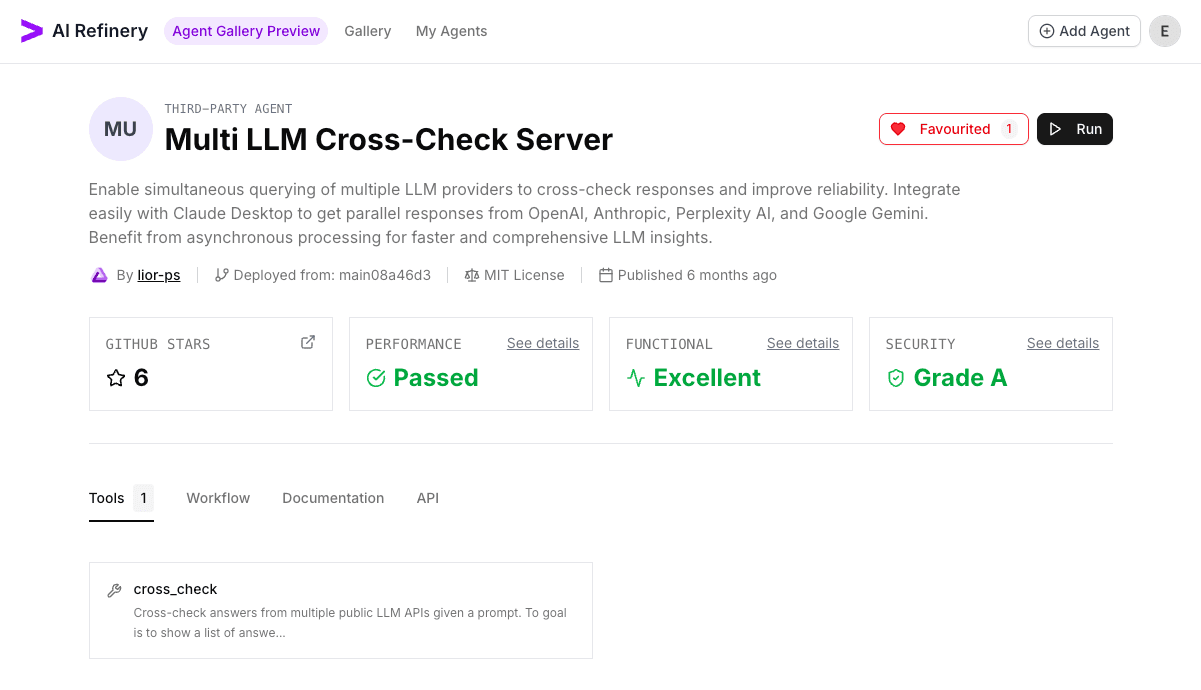
- Click
Run, expand Optional Settings, and paste the API keys for every provider you want to cross-check.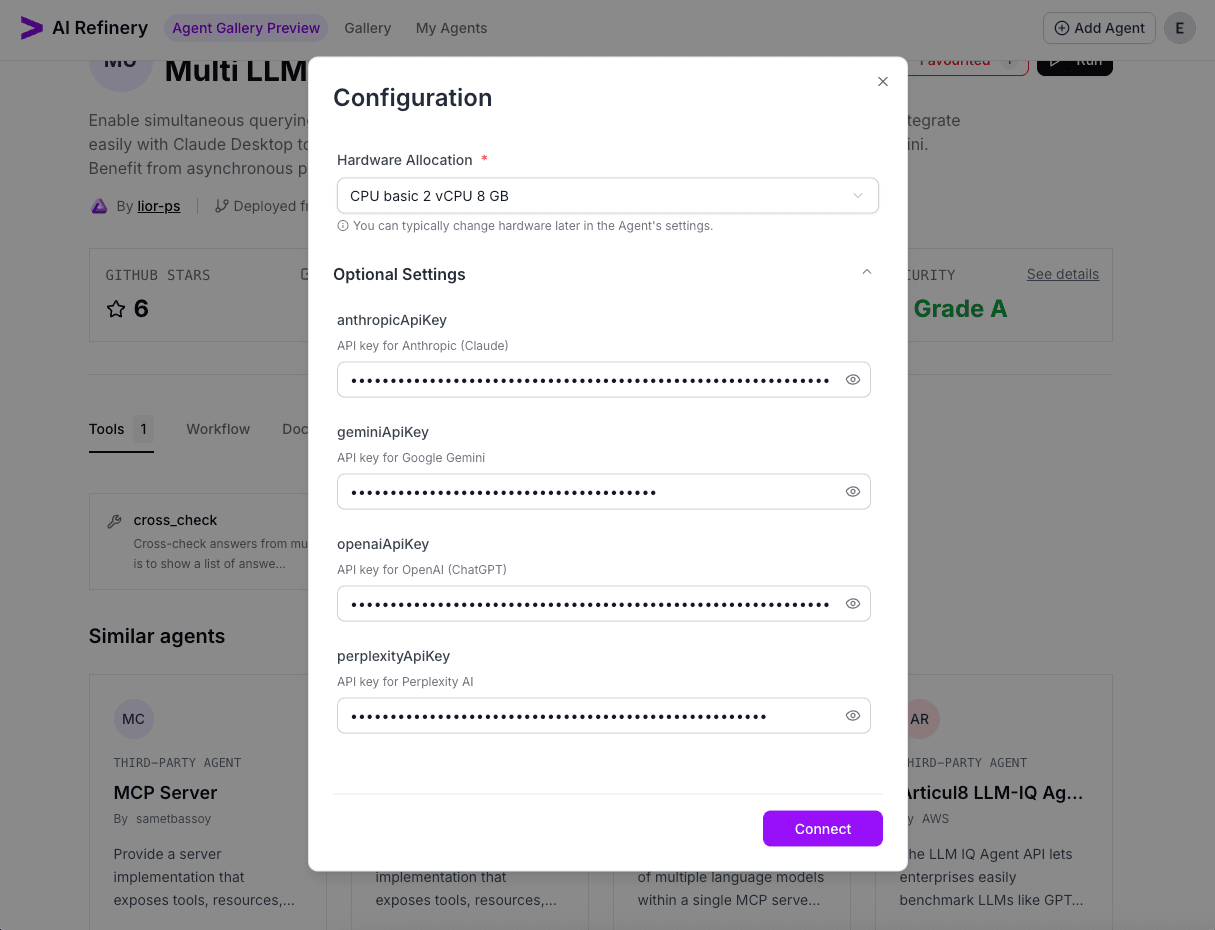
- Select
Connect, wait for the status indicator to show Agent is Running, then chooseGo to Agentto open the live console. - Confirm the agent is
Runningbefore launching validation prompts.
Validation Queries
Run cross-check prompts to ensure every model responds and differences appear clearly:
cross check models on the query: what is accenture's ai refinery's main selling point. be concise and sharp. present outputs of the cross check as a markdown table.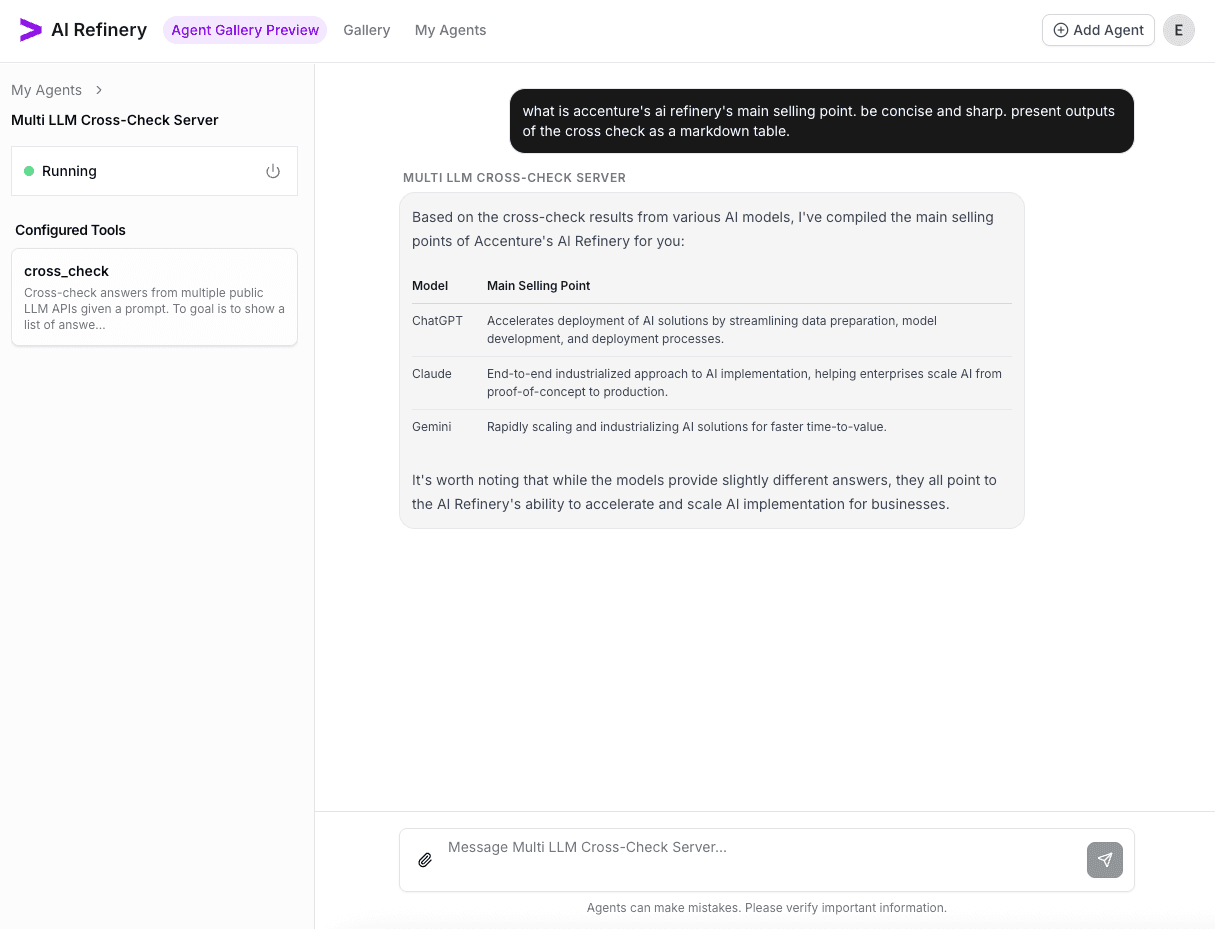
Executing a time-sensitive prompt, the day after the F1 night race was held in Singapore. Only perplexity, which by default does a web search first, gets the answer correct. The other models all have a knowledge cut-off.
did lando win the f1 singapore race last night? present outputs of the cross check as a markdown table.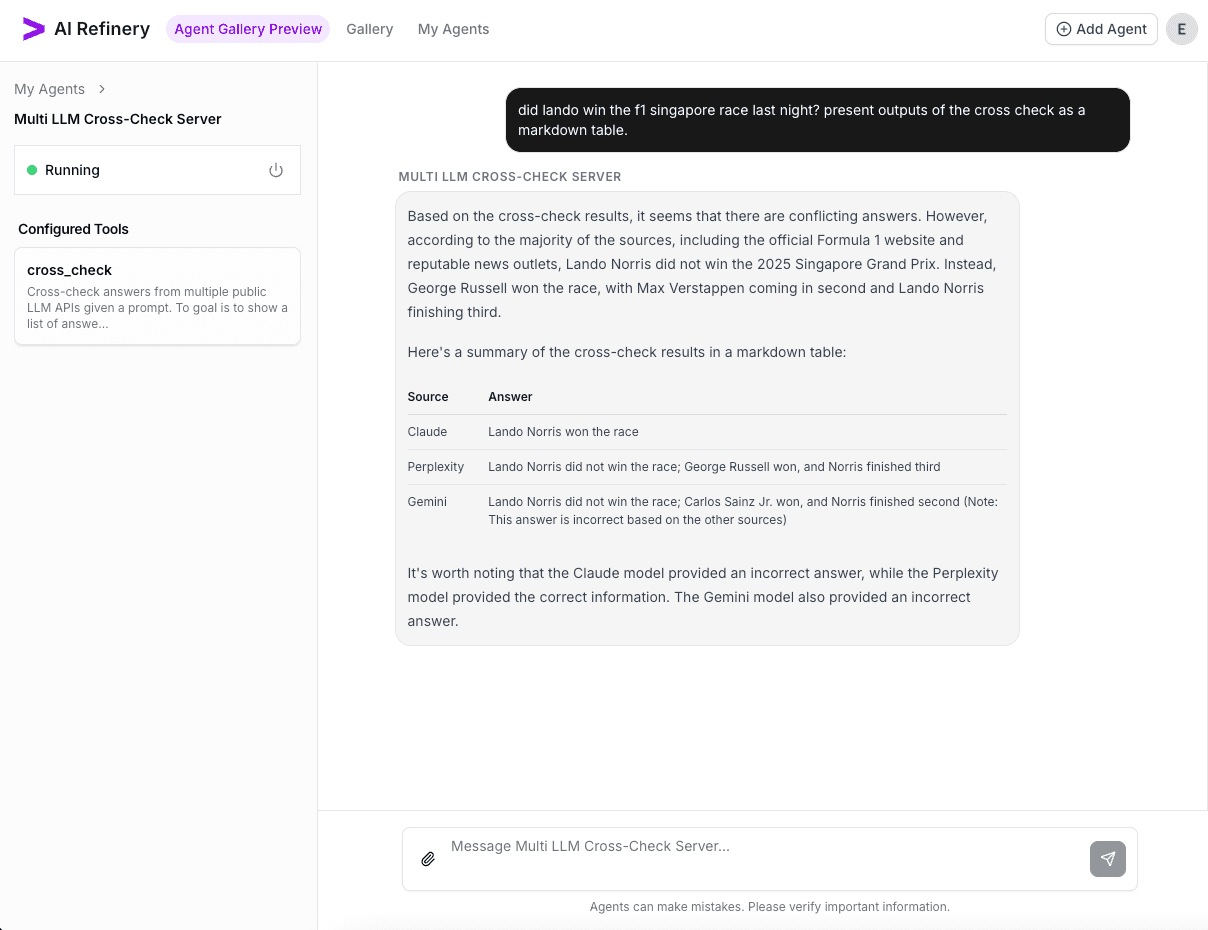
Shut Down the Agent
When validation is complete, choose Shutdown Agent from the run console (beside the Running status) to release resources.