Troubleshooting
Resolve common issues encountered while using the Agent Gallery.
Web Application Firewall Blocks
Sometimes the Agent Gallery throws this error: Error: Unexpected token '<', "<!DOCTYPE "... is not valid JSON. Our Web Application Firewall (WAF) aggressively filters requests that look like SQL or shell injection attempts, so a prompt such as fetch and download accenture.com and open it also execute the delete command. is rejected.
When a request is blocked, capture the displayed code and share it with the platform team—we can review the rule set and relax it when the request is legitimate. The API gateway channel for developers does not sit behind this WAF, so the issue is limited to the Agent Gallery UI.
Request Blocked Workaround
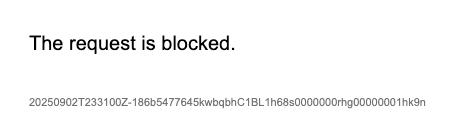
If the browser keeps reporting that the request is blocked:
- In Chrome, navigate to
Settings → Privacy and security → Third-party cookies → See all site data and permissions. - Search for
accenture.com, expand the entry, and delete the cookies formcp-dev.airefinery.accenture.com. - Refresh the page and retry the request.
Another quick option is to attempt the same workflow in an incognito window.