Onboard an Agent
Step-by-step walkthrough for publishing and validating a Flow super agent in the Agent Gallery.
Follow this walkthrough to turn a Flow-based agent into a published entry in the Agent Gallery. Each stage is backed by screenshots in this guide so you can double-check them while you work.
Before You Start
Login required
Adding an agent requires you to be logged in to the gallery. Refer to Logging In to Agent Gallery if you need to authenticate.
- Log in to Agent Gallery with your account.
- Be a member of an organization.
- Confirm you have any required API keys.
1. Create the agent entry and metadata
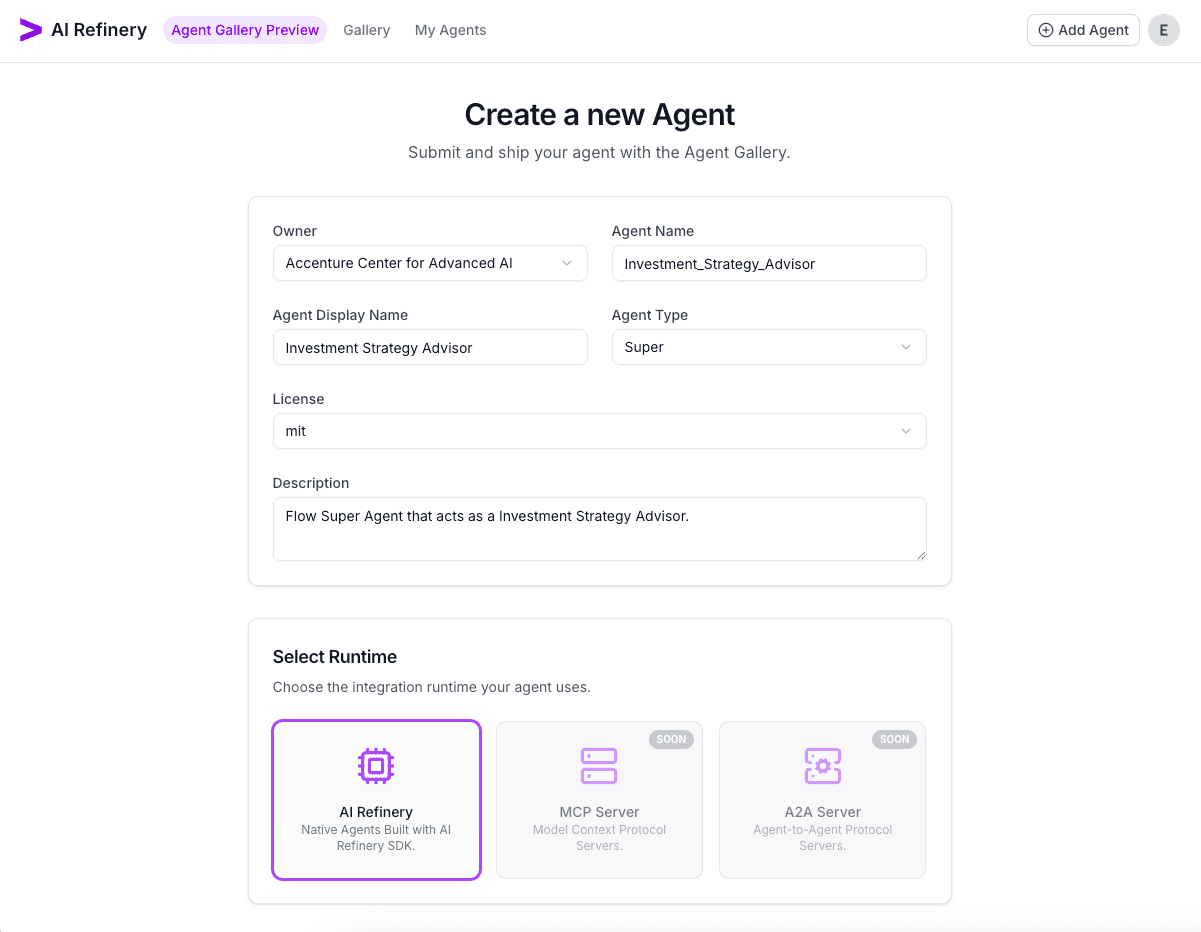
- From the Agent Gallery top bar, choose Add Agent and pick the owning workspace (you need to be either a user or admin in an existing organisation).
- Provide a agent name. This has to be unique in your organisation and cannot have spaces (it will be come your unique address for the agent, i.e. CAAI/Investment_Strategy_Agent)
- Next enter the display name (this can have spaces and special characters), license, and description, then pick the agent type.
- Choose the AI Refinery runtime and set the agent visibility (you can switch to from Public to Private later and vice versa if needed). Private agents can only be accessed by Admins, Users or Guests of your organisation.
Scroll to confirm the runtime and visibility selections before creating the agent.
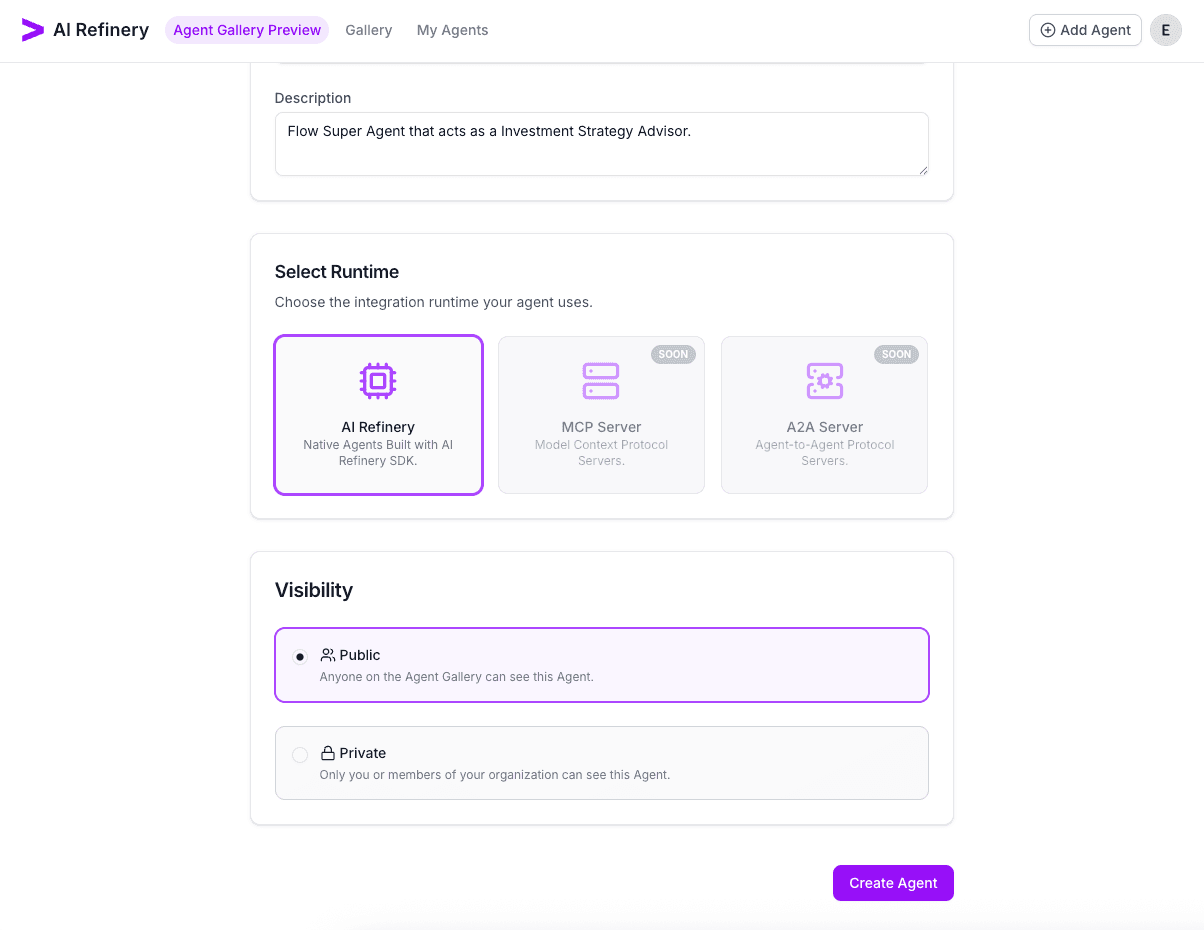
Select Create Agent to provision the agent entry. The gallery redirects to the newly created agent overview / details page.
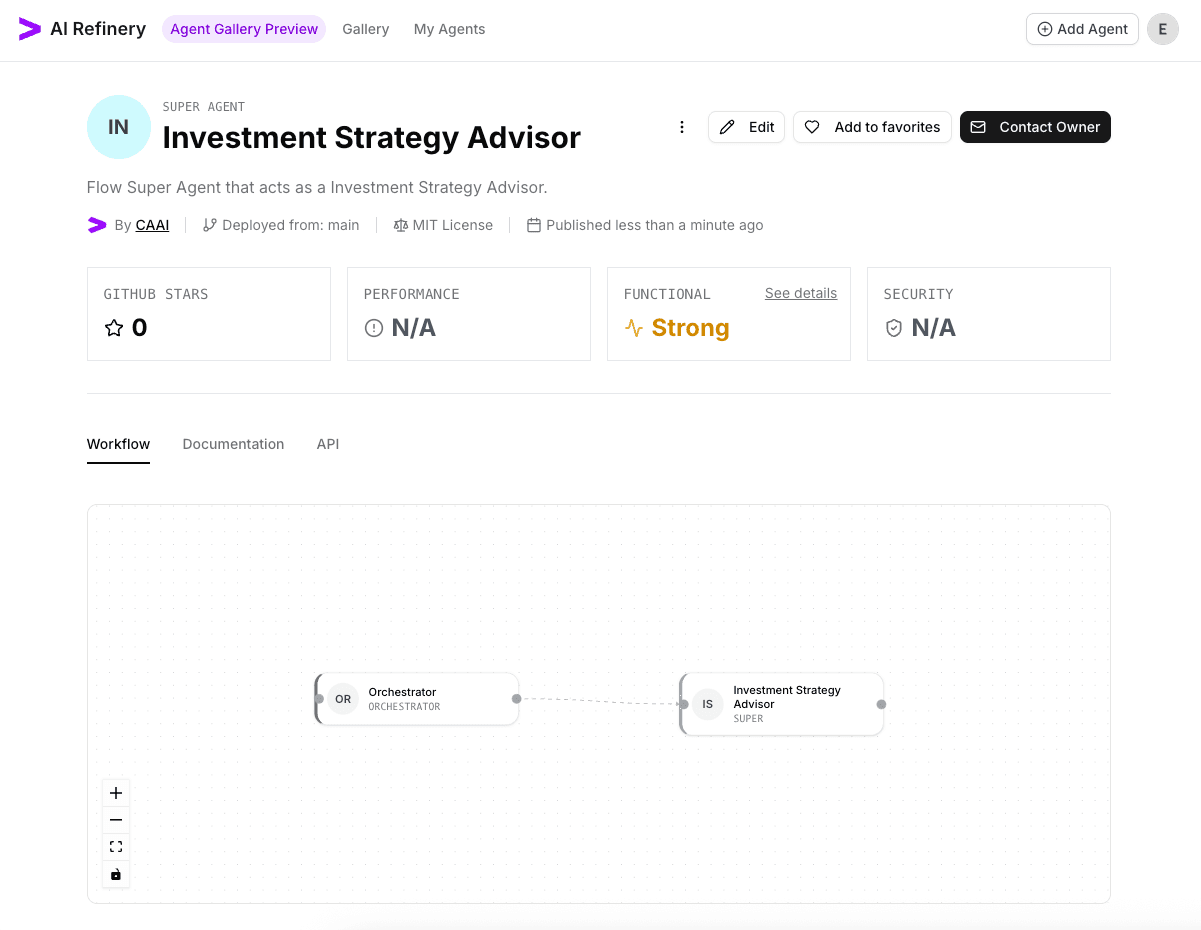
2. Verify general settings
Click Edit. This is where you can update the metadata like the display name, description, license, and visibility.
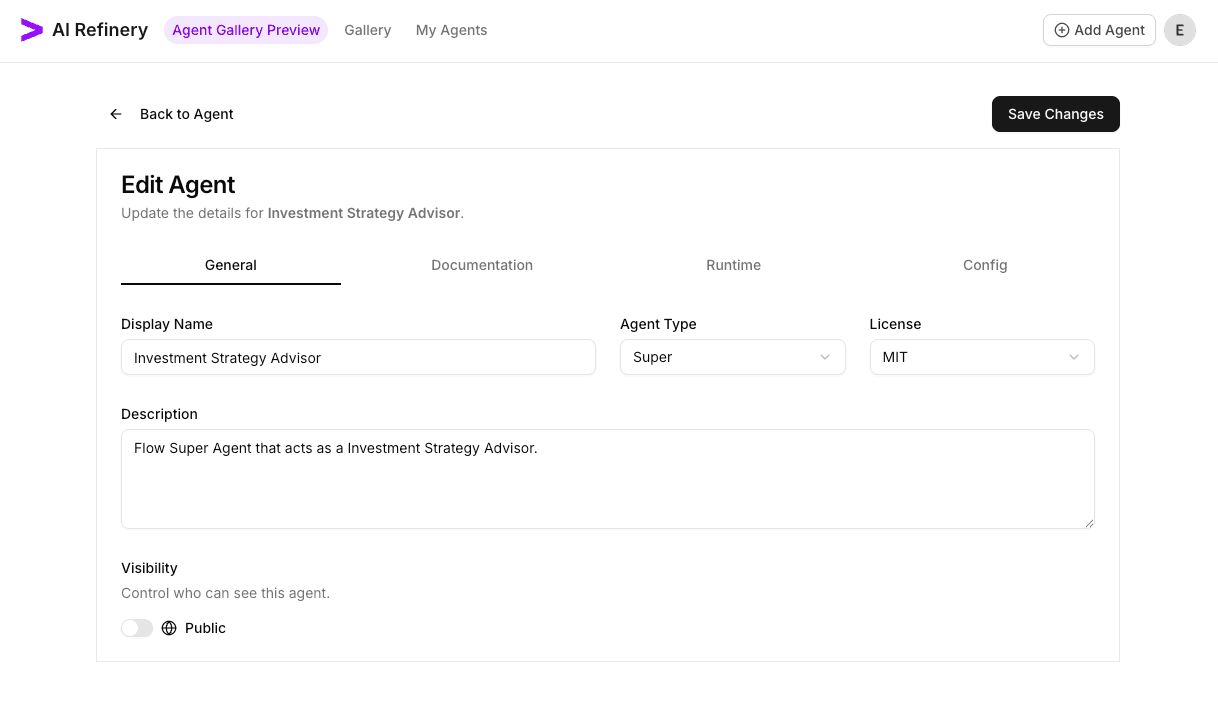
3. Configure the runtime
Switch to the Runtime tab.
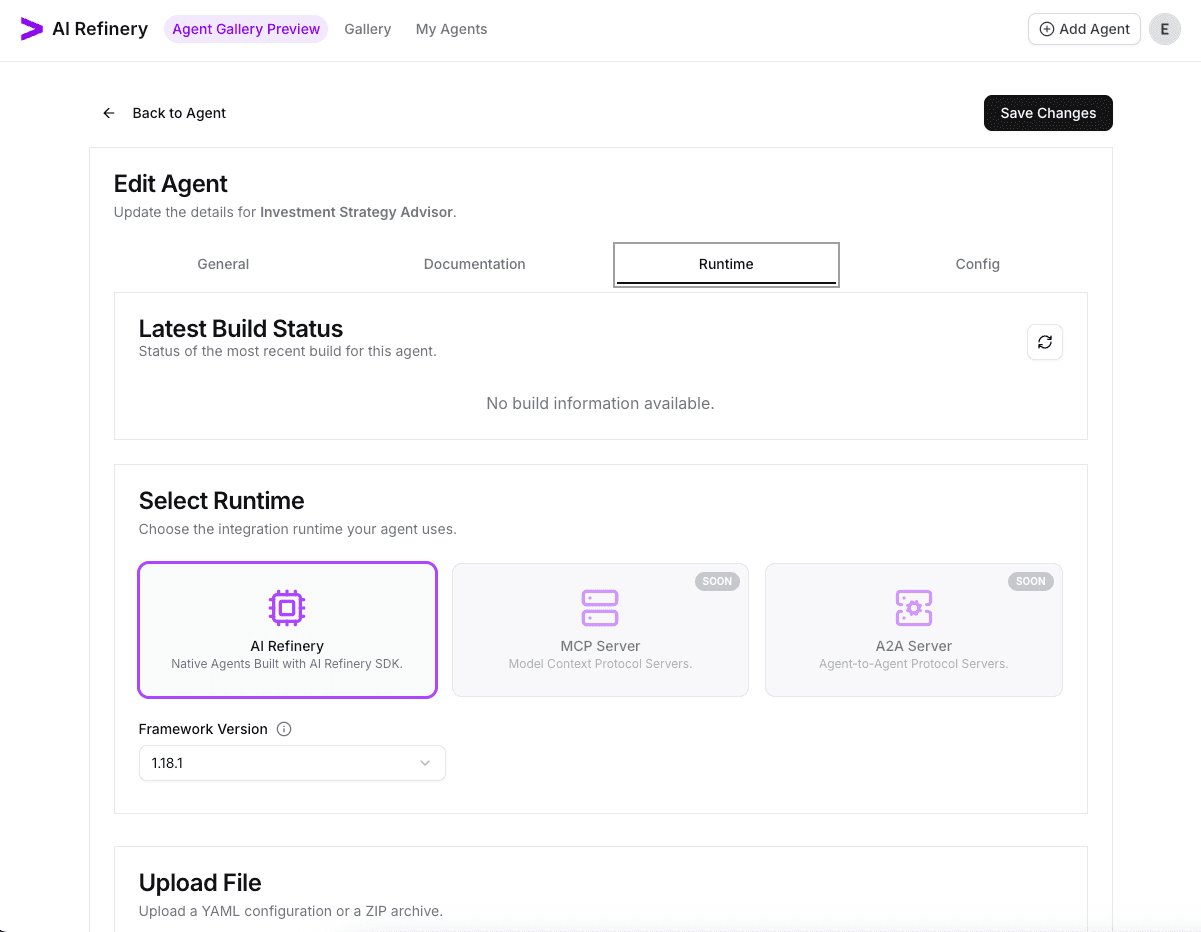
- Leave AI Refinery selected as the runtime.
- Pick the framework version that matches the AI Refinery SDK used during development (1.13.x and above use just an API key, while 1.12.x and below use an Account and API key).
- We are now going to upload a YAML file with our flow super agent (
flow_config.yaml).
Save the configuration file below for the Investment Strategy Advisor which is a FlowSuperAgent as flow_config.yaml:
orchestrator:
  agent_list:
  - agent_name: Investment Strategy Advisor
super_agents:
- agent_class: FlowSuperAgent
  agent_description: Provides investment insights based on stock and finance research.
  agent_name: Investment Strategy Advisor
  config:
    agent_list:
    - agent_name: Stock Price Researcher
      next_step:
      - Stock Trend Researcher
      - Stock Influence Researcher
      - Financial Report Writer
    - agent_name: Stock Trend Researcher
      next_step:
      - Public Expectation Writer
    - agent_name: Stock Influence Researcher
      next_step:
      - Investment Suggestion Writer
    - agent_name: Corporate Finance Researcher
      next_step:
      - Financial Report Writer
    - agent_name: Financial Report Writer
      next_step:
      - Investment Suggestion Writer
      - Stock Influence Researcher
    - agent_name: Public Expectation Writer
      next_step:
      - Investment Suggestion Writer
    - agent_name: Investment Suggestion Writer
    goal: Generate investment recommendations based on stock research, trends, financial
      reports, and public expectations.
utility_agents:
- agent_class: SearchAgent
  agent_description: Search stock price movements.
  agent_name: Stock Price Researcher
- agent_class: SearchAgent
  agent_description: Research stock market trends.
  agent_name: Stock Trend Researcher
- agent_class: SearchAgent
  agent_description: Search factors influencing stock prices.
  agent_name: Stock Influence Researcher
- agent_class: SearchAgent
  agent_description: Research corporate finance and financial reports.
  agent_name: Corporate Finance Researcher
- agent_class: AuthorAgent
  agent_description: Summarize public expectations based on stock trends.
  agent_name: Public Expectation Writer
  config:
    leading_questions:
    - prompt: Analyze the latest stock market trends and explain how they influence
        public perception of future price changes.
      question: How do recent stock market trends reflect public sentiment and expectations
        for future price movements?
    - prompt: Identify key patterns in stock trends that signal investor sentiment.
        Are there recurring indicators of optimism or fear?
      question: What common themes emerge from stock trends that indicate investor
        confidence or concern?
    - prompt: List significant events (economic, political, or industry-specific)
        that have recently shaped public expectations in stock investments.
      question: Are there any major economic or geopolitical events influencing public
        expectations in the market?
    memory_attribute_key: investment_analysis
    title: Investment Analysis Report
- agent_class: AuthorAgent
  agent_description: Write financial summaries based on corporate finance research.
  agent_name: Financial Report Writer
  config:
    leading_questions:
    - prompt: Summarize the most important points from the latest financial reports,
        including performance metrics and comparisons with industry standards.
      question: What are the key takeaways from the latest corporate financial reports,
        and how do they compare with industry benchmarks?
    - prompt: Explain how recent earnings reports and balance sheets have impacted
        investor confidence, referencing key financial indicators.
      question: How have recent earnings reports and balance sheet disclosures influenced
        investor sentiment?
    - prompt: Highlight notable financial metrics from corporate reports that could
        be useful in making investment decisions.
      question: Are there any financial indicators or metrics that stand out in the
        companies under research?
    memory_attribute_key: investment_analysis
    title: Investment Analysis Report
- agent_class: AuthorAgent
  agent_description: Generate insights based on stock research and financial reports.
  agent_name: Investment Suggestion Writer
  config:
    leading_questions:
    - prompt: Identify the stock or company mentioned in the conversation history.
        Provide context on why it is being analyzed, referencing relevant past discussions
        or queries.
      question: Which stock or company is being analyzed for investment considerations?
    - prompt: Analyze stock price movements, market trends, corporate financial reports, and investor sentiment. Identify significant patterns and factors affecting the stock's performance.
      question: What are the key insights from stock trends, financial reports, and
        market sentiment?
    - prompt: Evaluate the stock's current valuation, market trends, financial stability,
        and risk factors. Provide a single, definitive investment decision on whether
        investors should buy, sell, or hold.
      question: Based on the analysis, should investors consider buying, selling,
        or holding this stock?
    memory_attribute_key: investment_analysis
    title: Investment Analysis Report
Drag and drop the flow_config.yaml to the Upload a File section. You can also click on the box and select the file with the file dialog.

After the upload finishes, it automatically triggers the build. A successful build shows the runtime, version, and status.

4. Register runtime configuration values
Navigate to the Config tab to describe required environment variables.

Since we are using an AI Refinery runtime, we need to configure the API key in the config. Mark required values and mask them when appropriate. After saving, the configuration table lists the variable and its requirements.

5. Launch and test the agent
Click Back to Agent to return to our agent details page. From the agent overview, choose Run to deploy a session. Provide hardware sizing and paste the API key defined earlier.
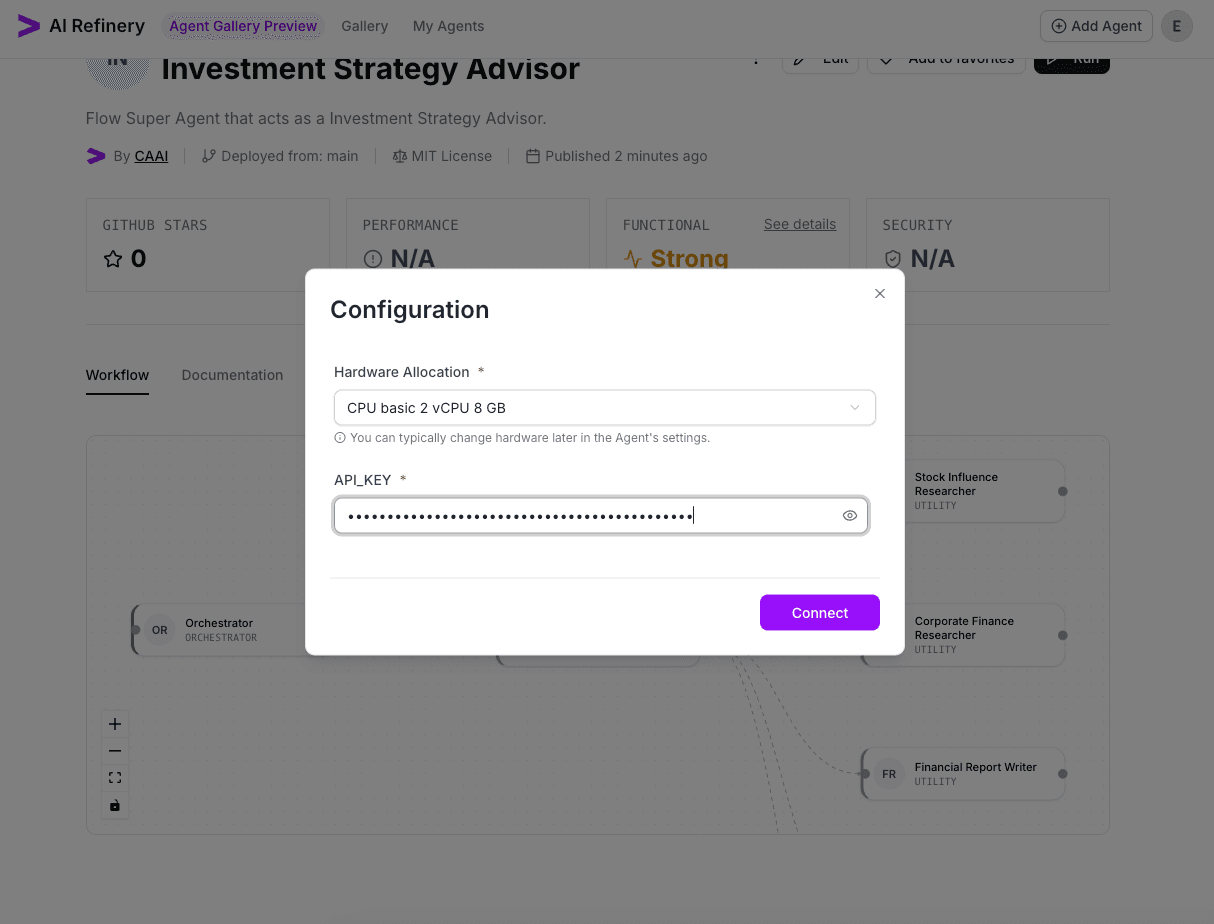
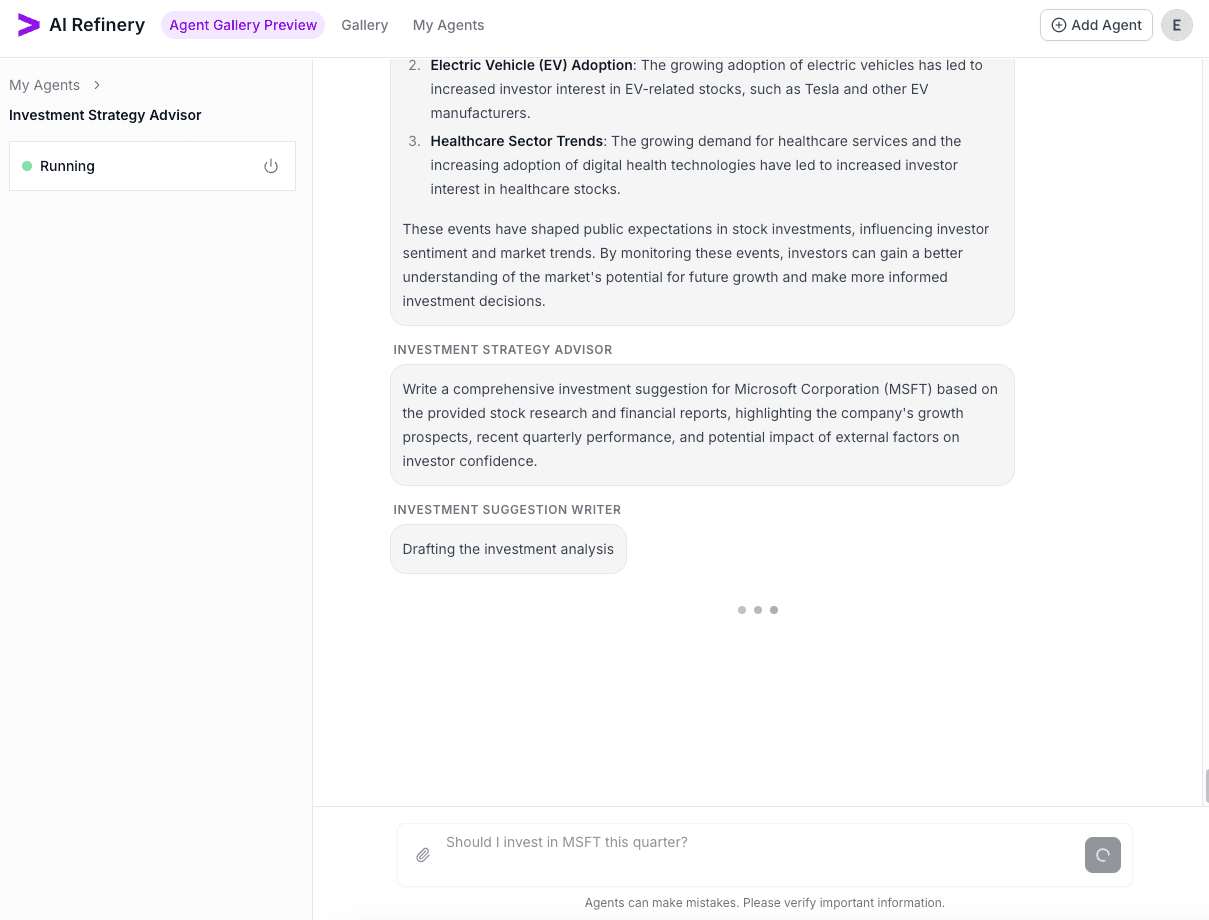
Once connected, you can click the Go to Agent button. Send an initial test query to confirm the workflow nodes activate and produce responses.
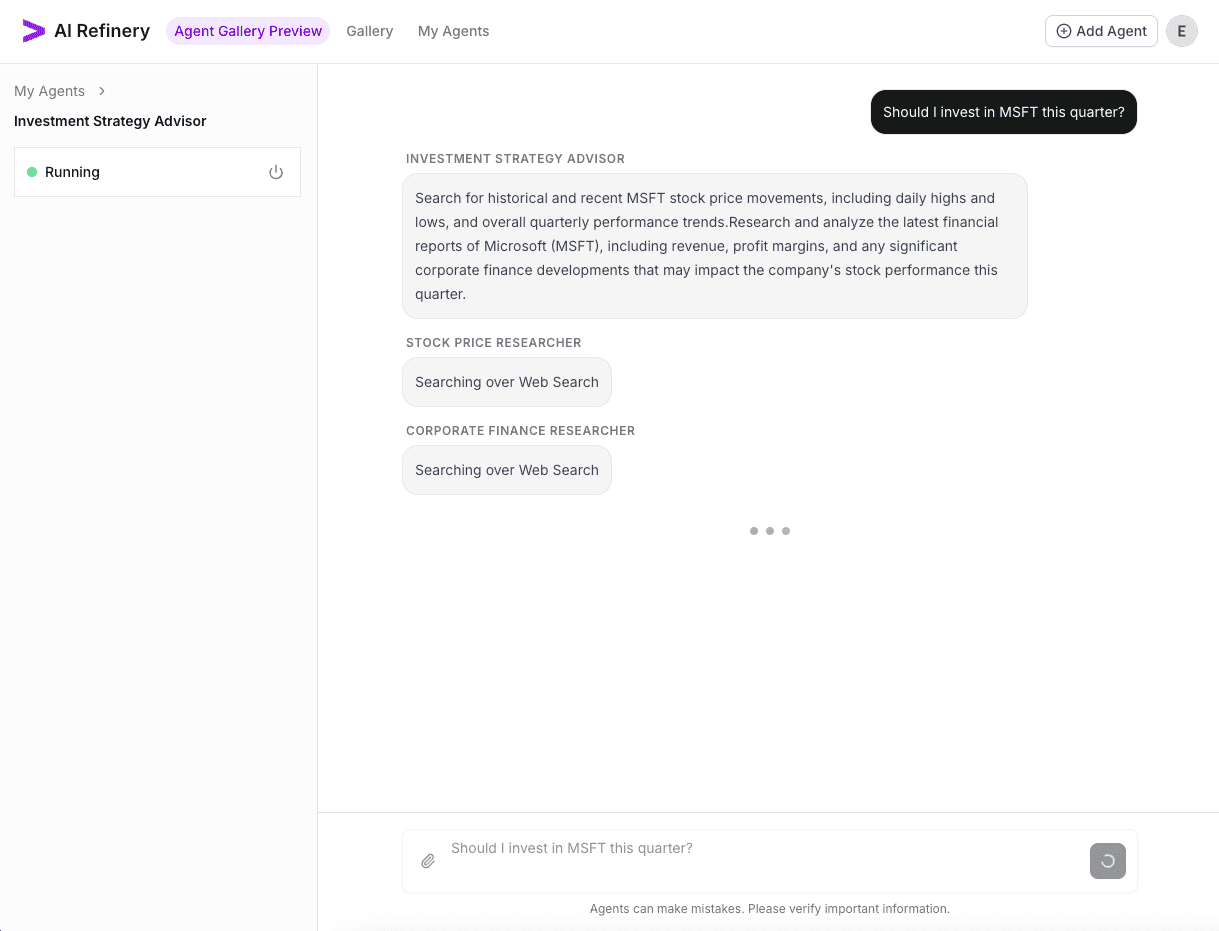
The agentic flow begins, calling multiple agents within the flow...
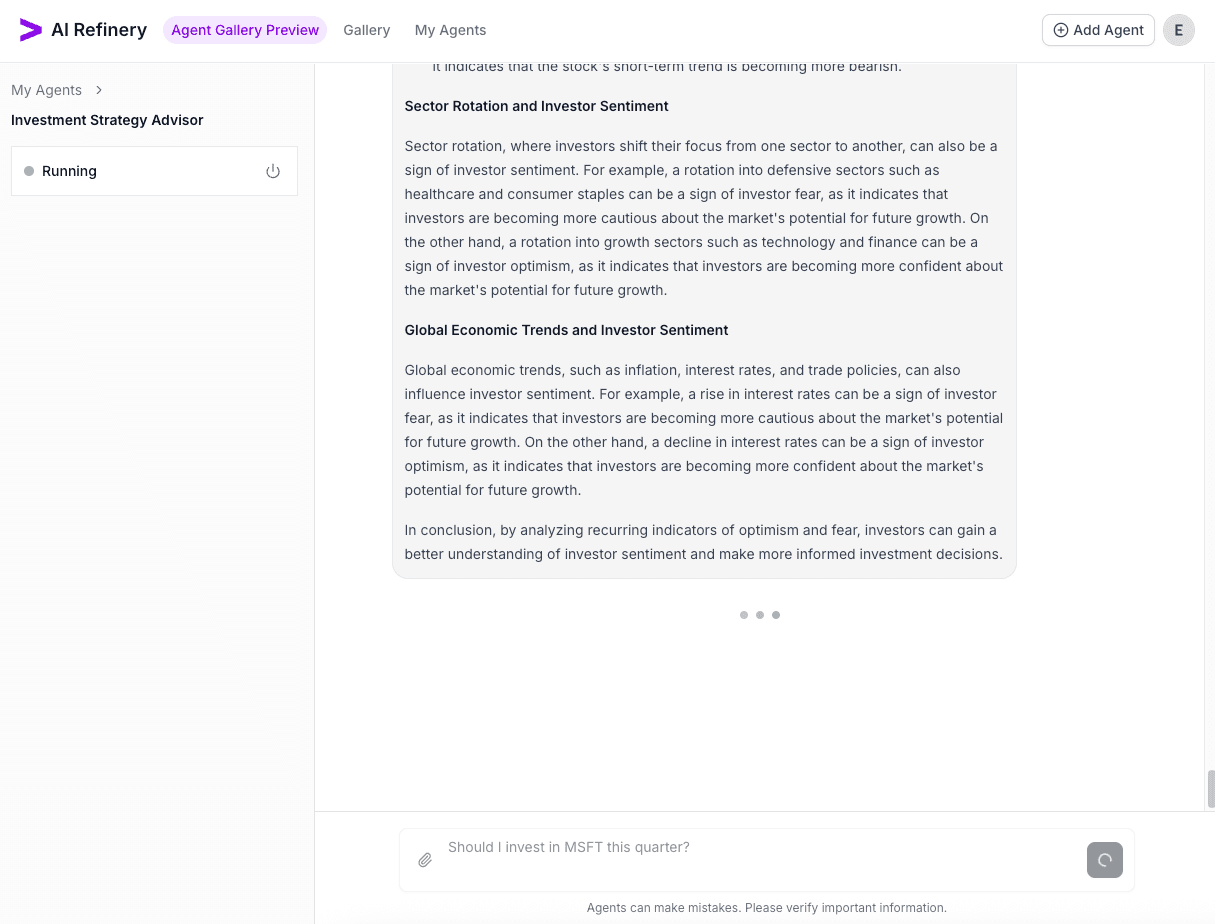
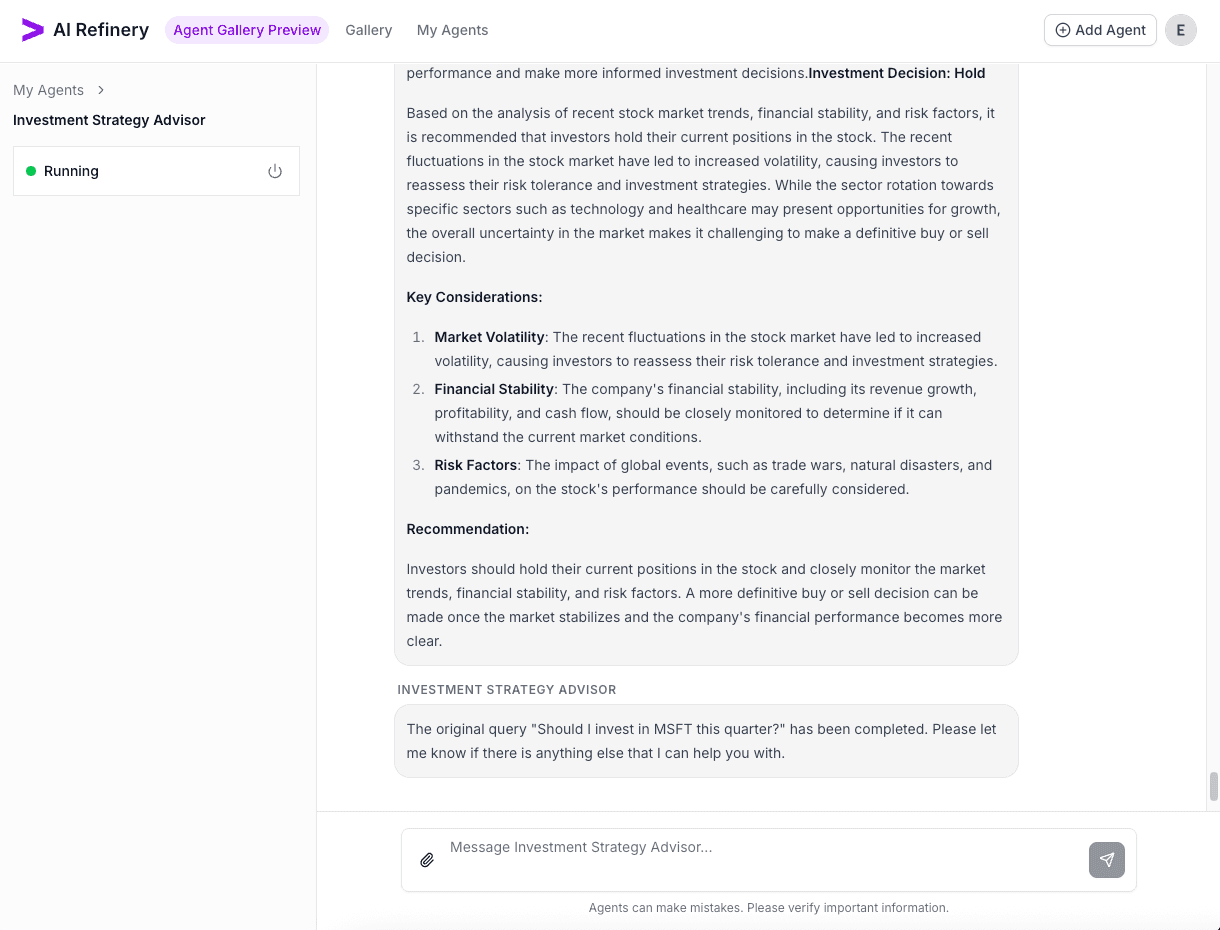
Finally, the orchestrator exits once the flow has completed...
6. Document the agent
Keep the Documentation tab up to date. Add a README summary that explains prerequisites, required keys, and expected usage notes. The preview refreshes immediately so you can validate the rendered Markdown.
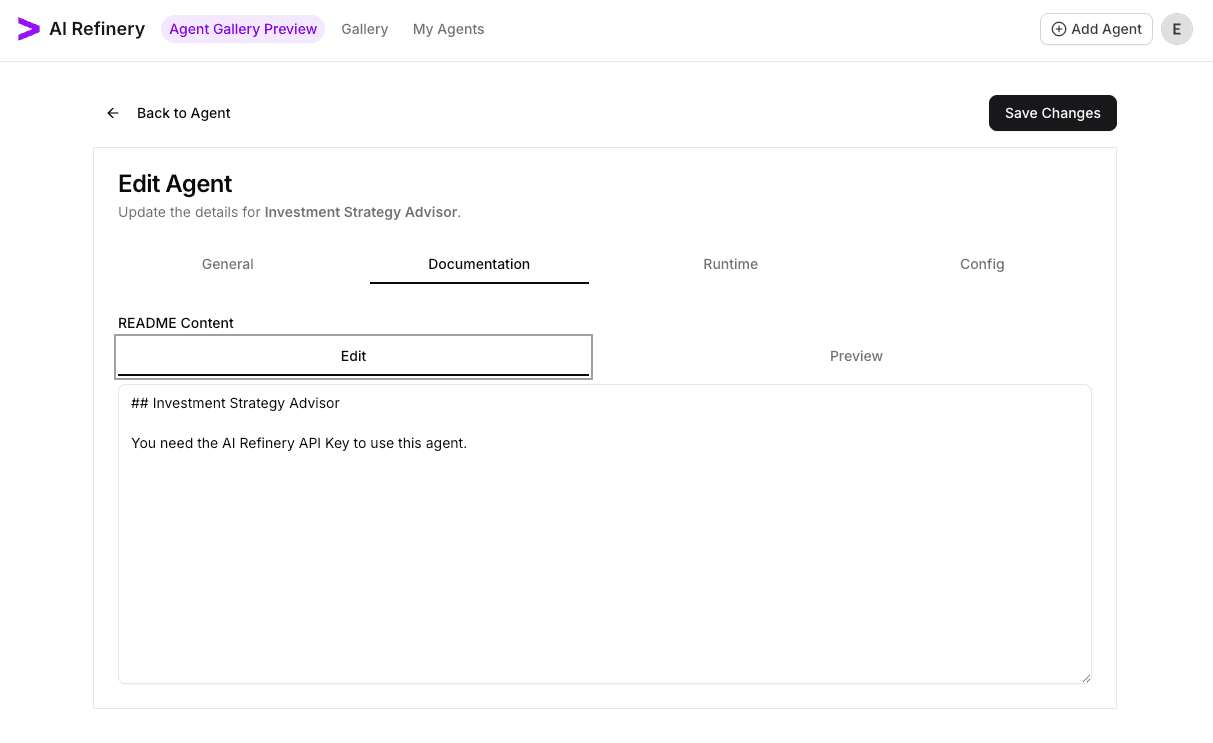
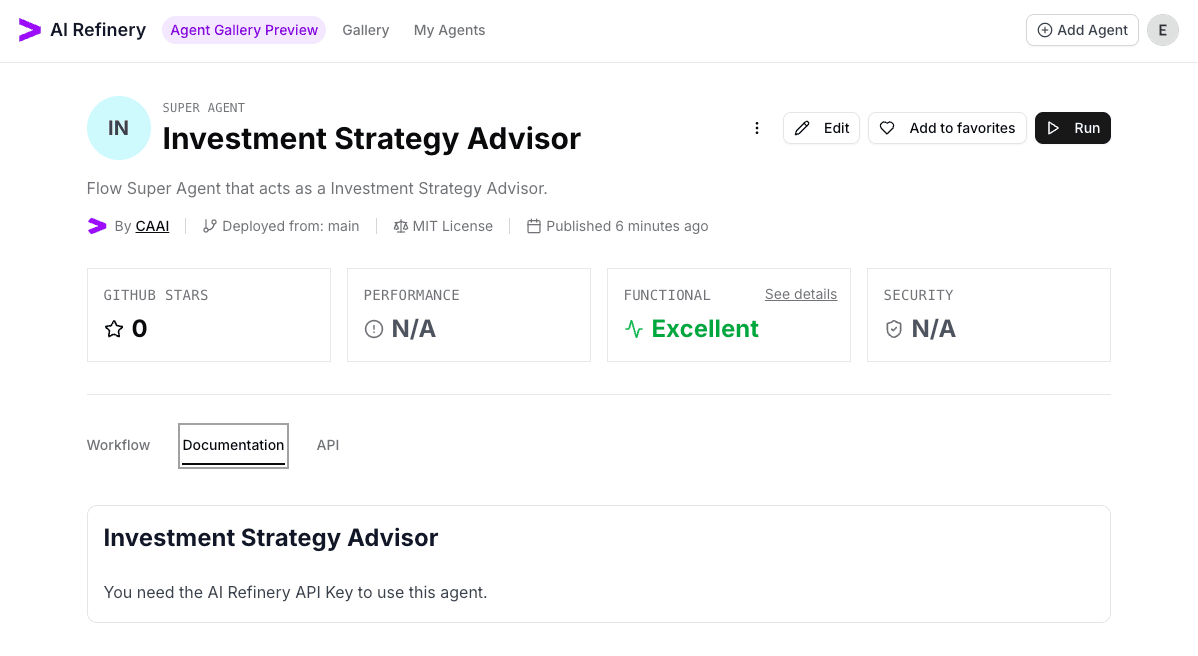
Once done, click Save Changes and we can inspect the now public update to our documentation.
7. Manage lifecycle actions
When the agent needs to be removed, use Delete Agent from the overview page. Confirm the removal to keep the gallery curated.
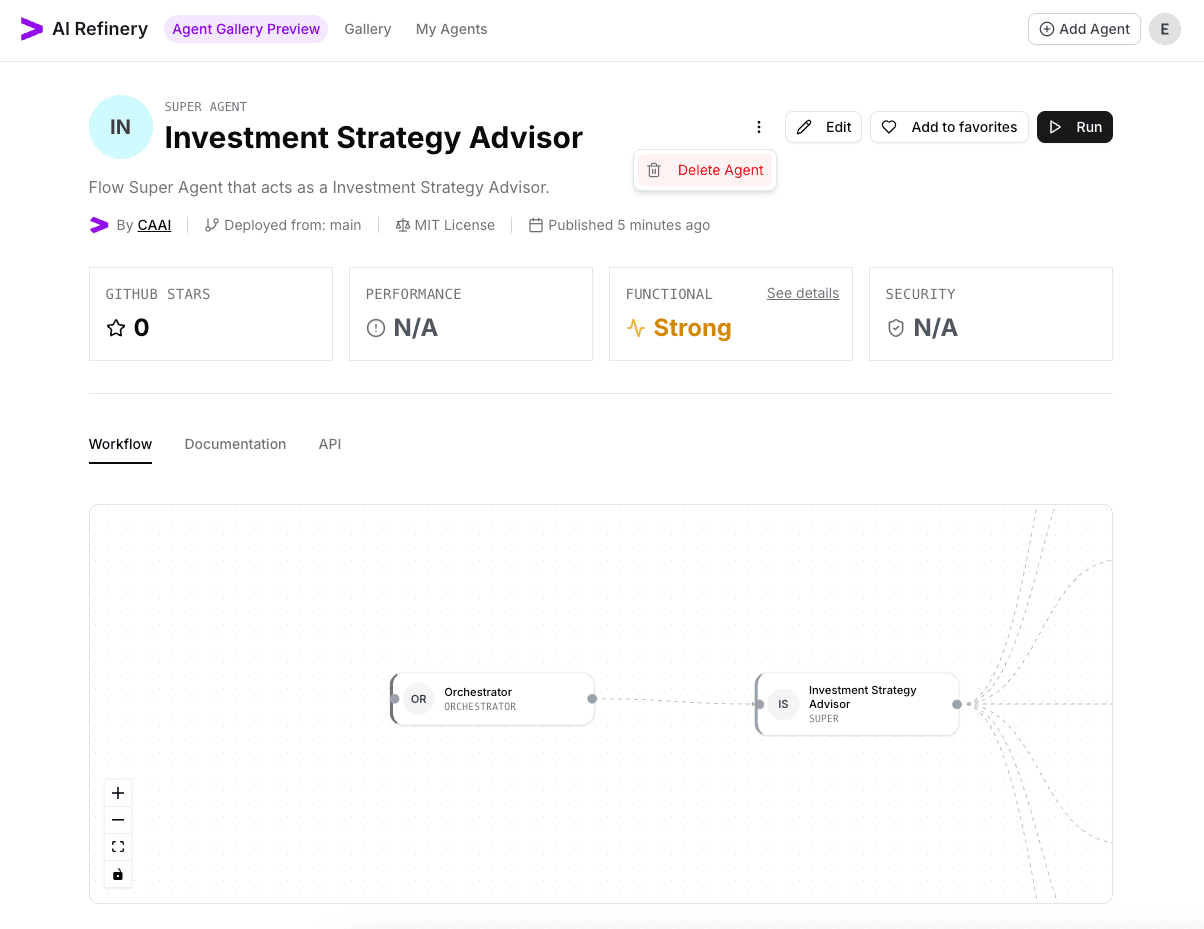
With these steps complete, your agent is fully onboarded, configured, documented, and ready for other teams to discover in the Agent Gallery.